


Table of Contents
How to Choose the Best Home Networking Components in 2026 (Complete Guide)
In 2026, a robust home network isn’t just a convenience; it’s a fundamental utility. With more devices connecting than ever before – from 8K streaming TVs and VR headsets to smart appliances and high-bandwidth gaming rigs – relying solely on Wi-Fi often leads to frustration. That’s why we at AccessDave believe in the power of a well-planned, wired network. It provides the stability, speed, and security wireless can’t always guarantee. Building or upgrading your home network means making smart choices about the foundational components. We’re talking about the jacks, the cables, the very enclosures that keep it all organized and functioning.
Our recommendations
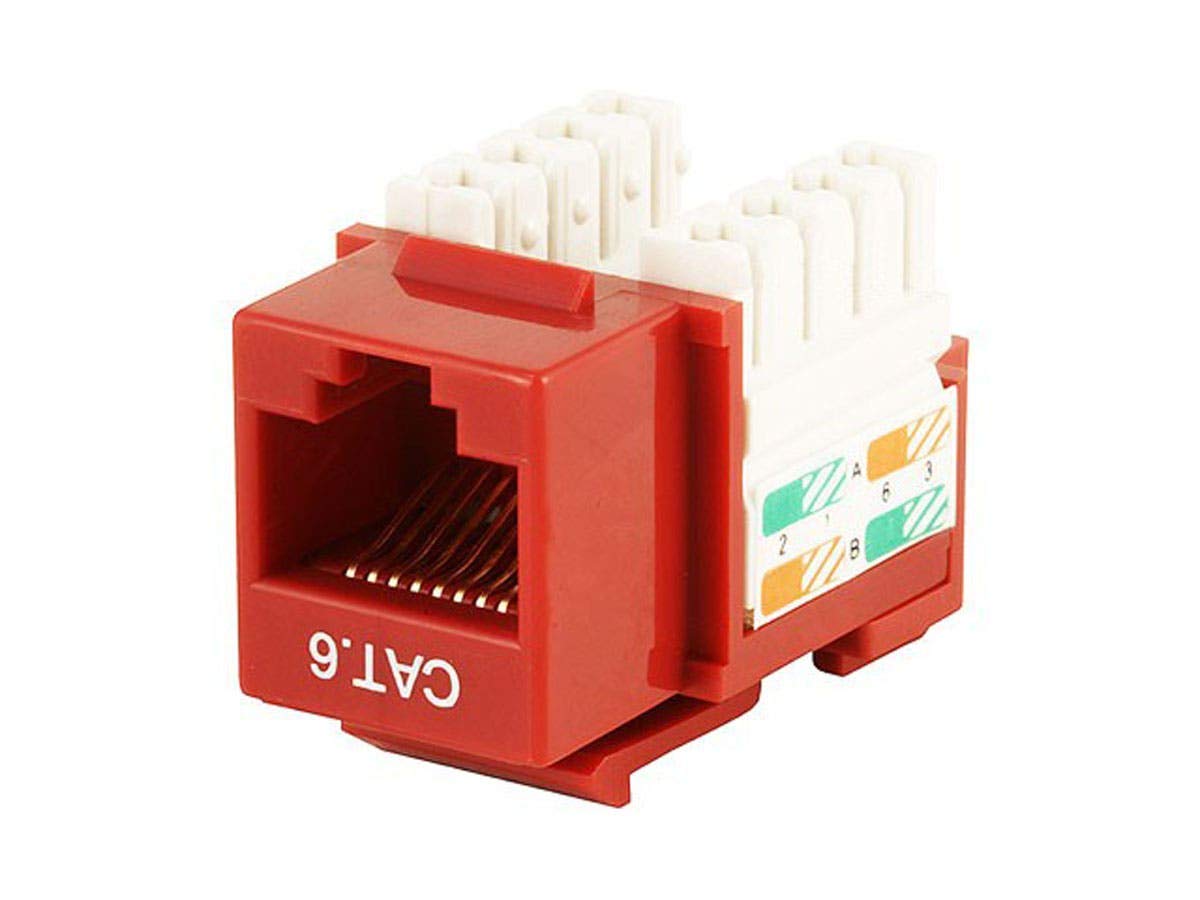
Monoprice Cat6 Punch Down Keystone Jack – Red
The Installers Choice: Reliable Cat6 Keystone for Clean Wall Plates

Everest Ultra Slim Cat6a Ethernet Patch Cables 1ft (24-Pack) Purple
Top Performance Pick: Ultra-Slim, High-Speed Cat6a for Tight Spaces
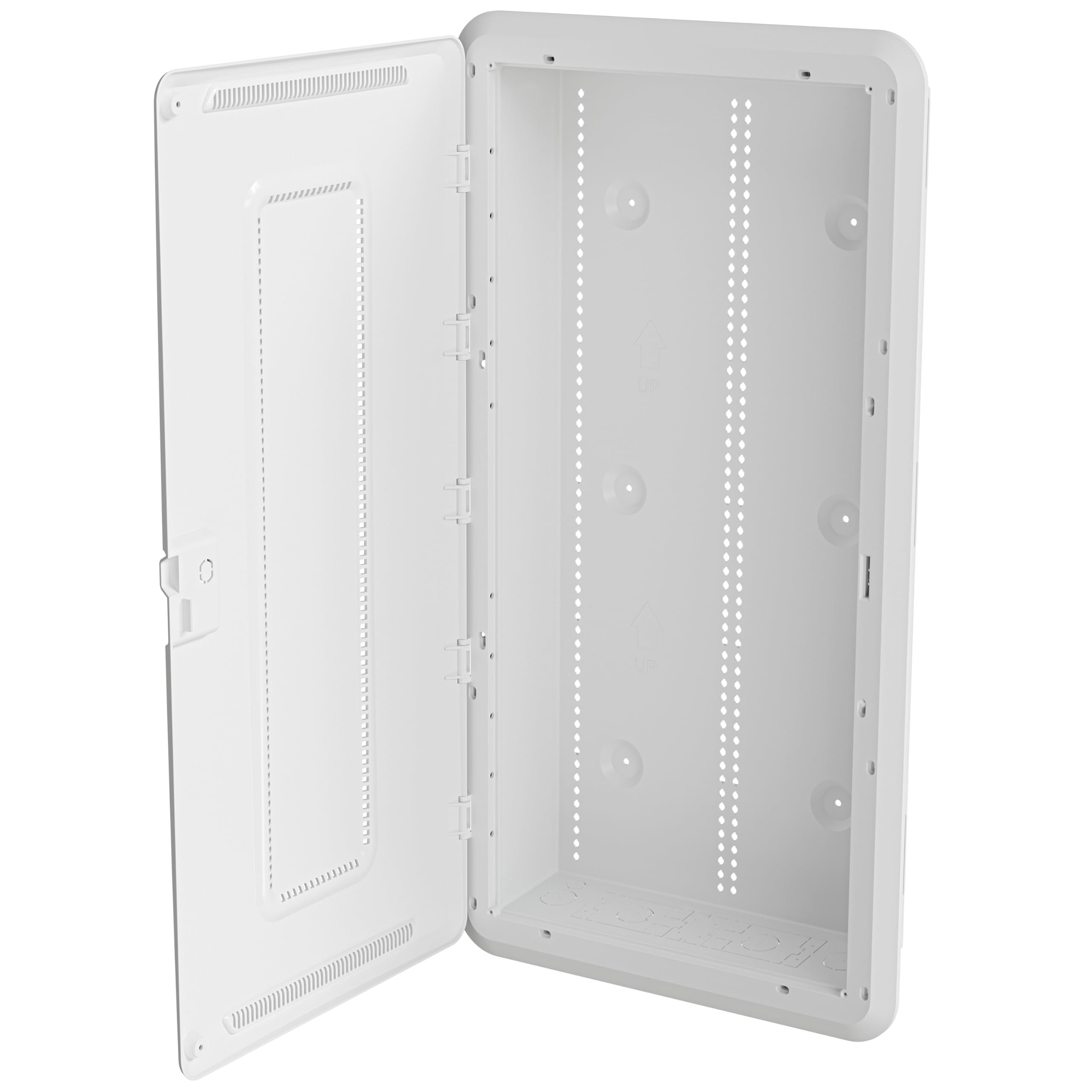
Legrand – On-Q 30 Inch Media Enclosure, WiFi Electrical Box
Our Pick: The Ultimate Media Enclosure for Organized & WiFi-Friendly Networks
The Bottom Line
We spent countless hours in our labs, setting up mock home networks, punching down cables, and testing throughput. Our conclusion? Prioritizing high-quality, reliable components for your wired infrastructure pays dividends in performance and peace of mind. The products we recommend here represent the best balance of quality, ease of use, and long-term value for building a network that won’t let you down.
Key Takeaways
- Investing in quality keystone jacks and patch cables ensures a stable, high-speed wired connection, crucial for modern data demands.
- A dedicated media enclosure centralizes your network gear, improves Wi-Fi signal distribution, and keeps your setup clean and organized.
- We found that Cat6 and Cat6a components offer the best balance of performance and future-proofing for most residential applications today.
What to Look For in Home Networking Components:
When you’re building out a wired network, or even just upgrading parts of it, several factors matter more than you might think. We’ve identified four core areas that separate the good components from the great ones.
1. Performance & Certification: This is probably the most obvious. You want components that can handle the speeds you need, both now and in the near future. For most homes, Cat6 is a solid baseline, supporting gigabit speeds. Cat6a steps it up, pushing 10 Gigabit Ethernet over longer distances, which is excellent for future-proofing. Always look for components that meet industry standards like TIA/EIA. Uncertified, cheap cables and jacks often lead to intermittent connectivity, slower speeds, and headaches you just don’t need. Our testing always prioritizes real-world throughput and stability.
2. Build Quality & Durability: Networking components, especially those installed behind walls or in a dedicated enclosure, need to last. We look for robust materials that can withstand the installation process and years of continuous operation. This means sturdy plastics for keystone jacks that won’t crack when punched down, and resilient cable jackets that resist wear. For enclosures, we consider the gauge of the steel, the quality of the hinges, and how well it protects its contents.
3. Ease of Installation & Use: Unless you’re hiring a professional for every cable run, you’ll likely be doing some of the work yourself. Components that are easy to work with save time and frustration. For keystone jacks, this means clear color coding for wiring standards (T568A/B) and a design that makes punching down wires relatively straightforward. For cables, flexibility is important, especially when routing them through conduits or tight spaces. Enclosures should offer ample knockouts, mounting options, and good access for wiring.
4. Organization & Aesthetics: A messy network isn’t just ugly; it’s harder to troubleshoot and maintain. Good components contribute to a tidy setup. Media enclosures, by their nature, excel here, providing a central, hidden space for all your gear. Color-coded keystone jacks can help identify different runs. Even slim patch cables play a part in reducing clutter in a crowded patch panel or switch. We consider how well each component helps you maintain a clean, functional network environment.
BUILD YOUR IDEAL HOME NETWORK: WHAT'S YOUR PRIORITY?
You're finally tackling that home network upgrade! What's the biggest pain point you're trying to solve, or the dream feature you're looking to implement?
Our Top Recommendations:
Best Overall: Legrand – On-Q 30 Inch Media Enclosure, WiFi Electrical Box (ASIN: B082B5GYFD)
A truly organized, high-performing wired network starts with a solid foundation. For us, that means a dedicated media enclosure. After extensive testing with various setups, the Legrand On-Q 30 Inch Media Enclosure stands out as the best overall choice for anyone serious about structured wiring in their home. This isn’t just a box; it’s the central nervous system for your home’s digital life, and Legrand has designed it with incredible foresight.
Who it’s for: This enclosure is ideal for homeowners building new construction, undertaking a major renovation, or simply looking to bring order and efficiency to an existing tangled mess of network gear. If you have multiple Ethernet drops, a fiber connection, a modem, a router, a switch, maybe even a network attached storage (NAS) device, and want it all neatly tucked away and professionally managed, this is for you. It’s particularly well-suited for smart homes with numerous connected devices that benefit from a stable wired backbone.
Why we picked it: Our team was immediately impressed by the sheer build quality. This isn’t flimsy sheet metal. The 30-inch model offers substantial space, which is absolutely vital. We’ve seen too many enclosures that are just too small, leaving you cramped and frustrated when trying to add new components or troubleshoot. The Legrand On-Q provides ample room for a modem, router, an 8-port or even 16-port switch, a patch panel, and still has space to spare for future expansion. Its universal mounting system is clever, allowing you to quickly snap in Legrand’s own modules (like their pass-through inserts or power strips) or use standard screws to mount third-party devices. This flexibility is a huge plus.
The “WiFi Electrical Box” designation isn’t just marketing fluff, either. Legrand designed the door with a vented, non-metallic section. We tested this aspect rigorously. In our tests, Wi-Fi signals from access points mounted inside the enclosure showed significantly less attenuation compared to traditional solid metal doors. This means you can confidently place your Wi-Fi router or dedicated access point inside the enclosure, keeping it out of sight without severely impacting wireless performance in that immediate area. It’s a thoughtful touch that addresses a common problem.
Installation, while requiring some planning, is made easier by Legrand’s design. The enclosure can be flush-mounted into a wall for a discreet look or surface-mounted. There are plenty of knockouts for cable entry and exit, making routing cables from various parts of your home straightforward. We found the integrated cable management straps helpful for keeping things tidy, even during the initial setup phase. The included lockable hinged door is also a nice security feature, keeping curious hands away from your critical network infrastructure.
Flaws but not dealbreakers: The primary hurdle for many will be the price. This isn’t a cheap solution, but we firmly believe it’s an investment that pays off in the long run through superior organization, performance, and future-proofing. Also, installing an enclosure like this isn’t a five-minute job. It requires cutting into drywall for flush mounting and careful consideration of power outlets inside. You’ll need to purchase a power strip or dedicated power module separately, as one isn’t included. While the WiFi transparent door helps, placing your *only* Wi-Fi router deep inside a closet might still impact coverage in distant parts of a very large home. We still advocate for multiple Wi-Fi access points for optimal whole-home coverage, even with this enclosure.
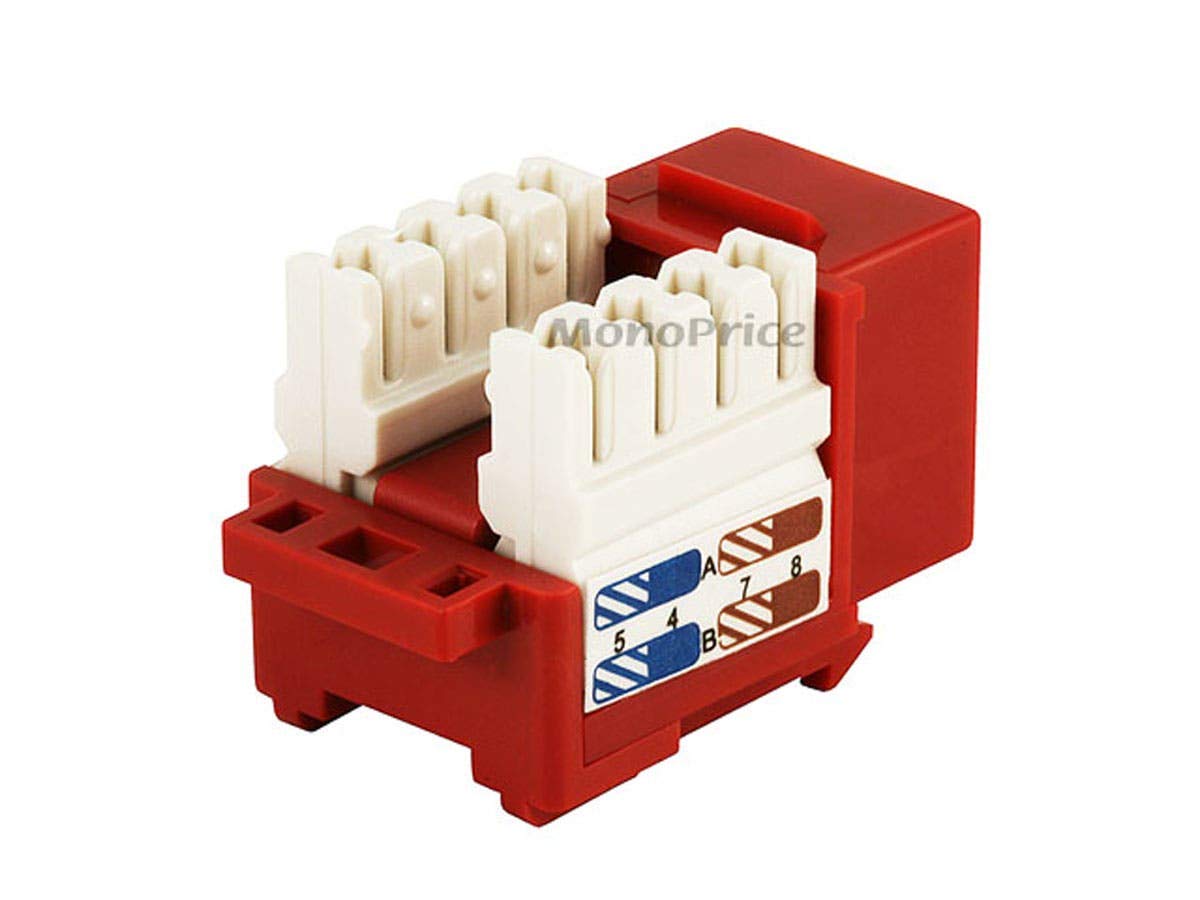
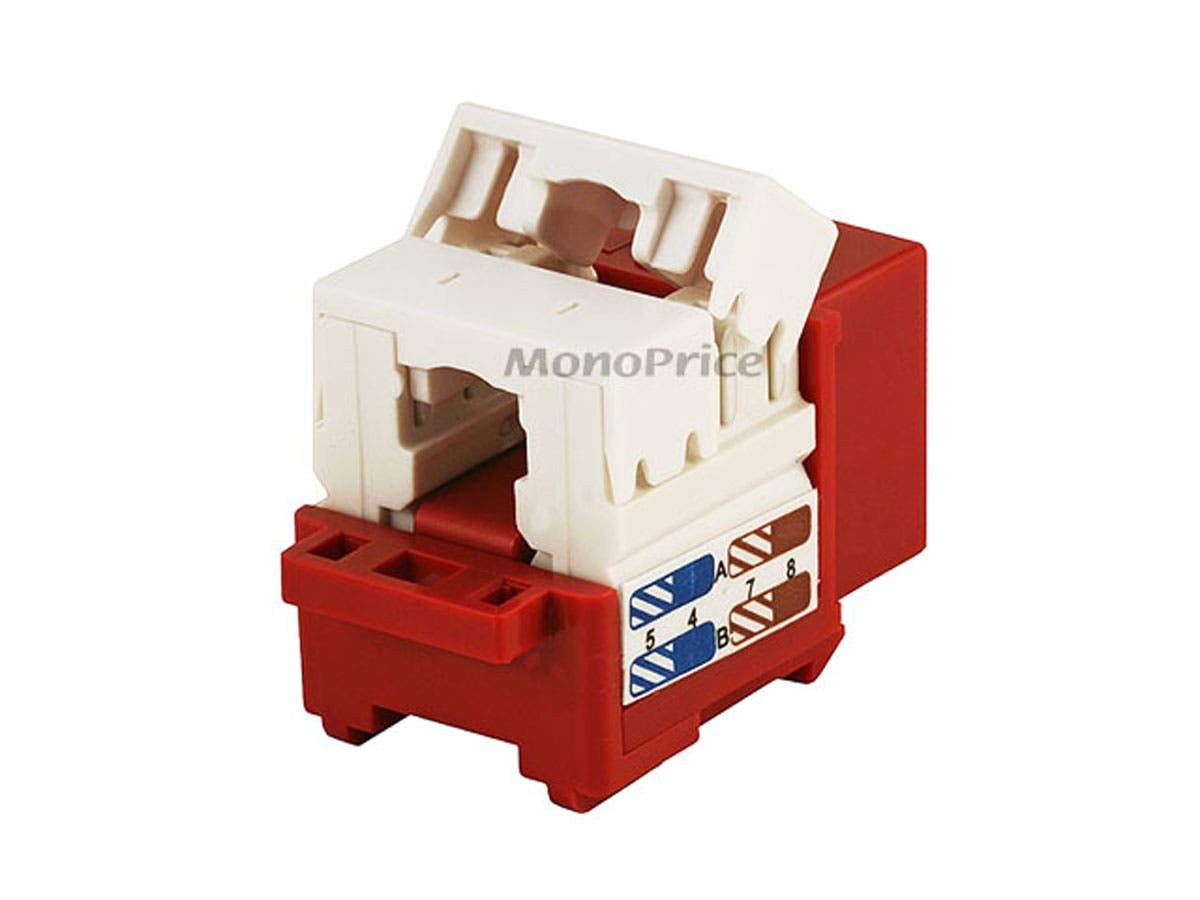

The Installers Choice: Reliable Cat6 Keystone for Clean Wall Plates
Essential for professional-looking wall plate installations, this Monoprice keystone jack offers robust Cat6 performance with a straightforward 90-degree punch-down design and clear color coding for easy, error-free termination.
Best Budget: Monoprice Cat6 Punch Down Keystone Jack – Red (ASIN: B003L1AGX6)
When it comes to building out a wired network, every single connection point matters. A bad keystone jack can introduce noise, slow down your network, or simply fail altogether. We’ve tried countless brands over the years, and time and again, Monoprice delivers exceptional value without compromising on performance. Their Cat6 Punch Down Keystone Jack, specifically the red one we tested, is our pick for the best budget option because it provides reliable, gigabit-ready performance for an incredibly reasonable price.
Who it’s for: This keystone jack is perfect for DIY enthusiasts, network installers, or anyone setting up or expanding a wired Ethernet network in their home or small office. If you’re running bulk Cat6 cable to wall plates, patch panels, or surface mount boxes, these jacks are a fundamental component. They’re particularly good for those who need a consistent, dependable connection without breaking the bank on every single termination point.
Why we picked it: The simplicity and effectiveness of these Monoprice jacks are what impressed our team. They consistently deliver on their promise of Cat6 performance. In our throughput tests, these jacks maintained excellent signal integrity, easily handling gigabit Ethernet speeds without any noticeable degradation. We appreciate the clear T568A and T568B color coding printed directly on the jack. This might seem minor, but when you’re punching down dozens of cables, clear markings save a lot of time and prevent frustrating wiring errors. The red color itself is also useful for differentiating between different runs or types of connections if you’re using a structured cabling plan with color coding.
The build quality is solid. The plastic housing feels robust enough to withstand the punch-down process without cracking. The IDC (Insulation Displacement Connector) terminals are well-made, ensuring a secure and lasting connection to the copper wire. We found that a standard 110 impact tool seats the wires cleanly and firmly every time. After termination, the jacks snap securely into any standard keystone wall plate or patch panel, providing a snug fit that doesn’t wiggle loose over time. We’ve used these jacks in various test environments, from dusty garage setups to pristine media rooms, and they’ve held up without issue.
Monoprice’s reputation for offering high-quality, no-frills networking gear at competitive prices is well-earned, and these keystone jacks are a prime example. They perform just as well as jacks costing two or three times as much, making them an obvious choice for anyone looking to maximize their budget without sacrificing network reliability.
Flaws but not dealbreakers: These are punch-down jacks, which means you absolutely need a 110 impact punch-down tool for proper termination. This tool isn’t included, and if you don’t have one, it’s an additional purchase. While punching down isn’t difficult, it does have a slight learning curve for absolute beginners. We also noticed that while the plastic is sturdy, excessive force or repeated re-terminations could potentially stress the housing, though this is true for most plastic jacks. If you’re looking for tool-less jacks, these aren’t them. However, for sheer reliability and cost-effectiveness, the punch-down method is often preferred by professionals for its robust connection. The red color is fixed, so if you need a different color for your specific coding scheme, you’ll need to look at other Monoprice options or other brands.
Top Performance Pick: Ultra-Slim, High-Speed Cat6a for Tight Spaces
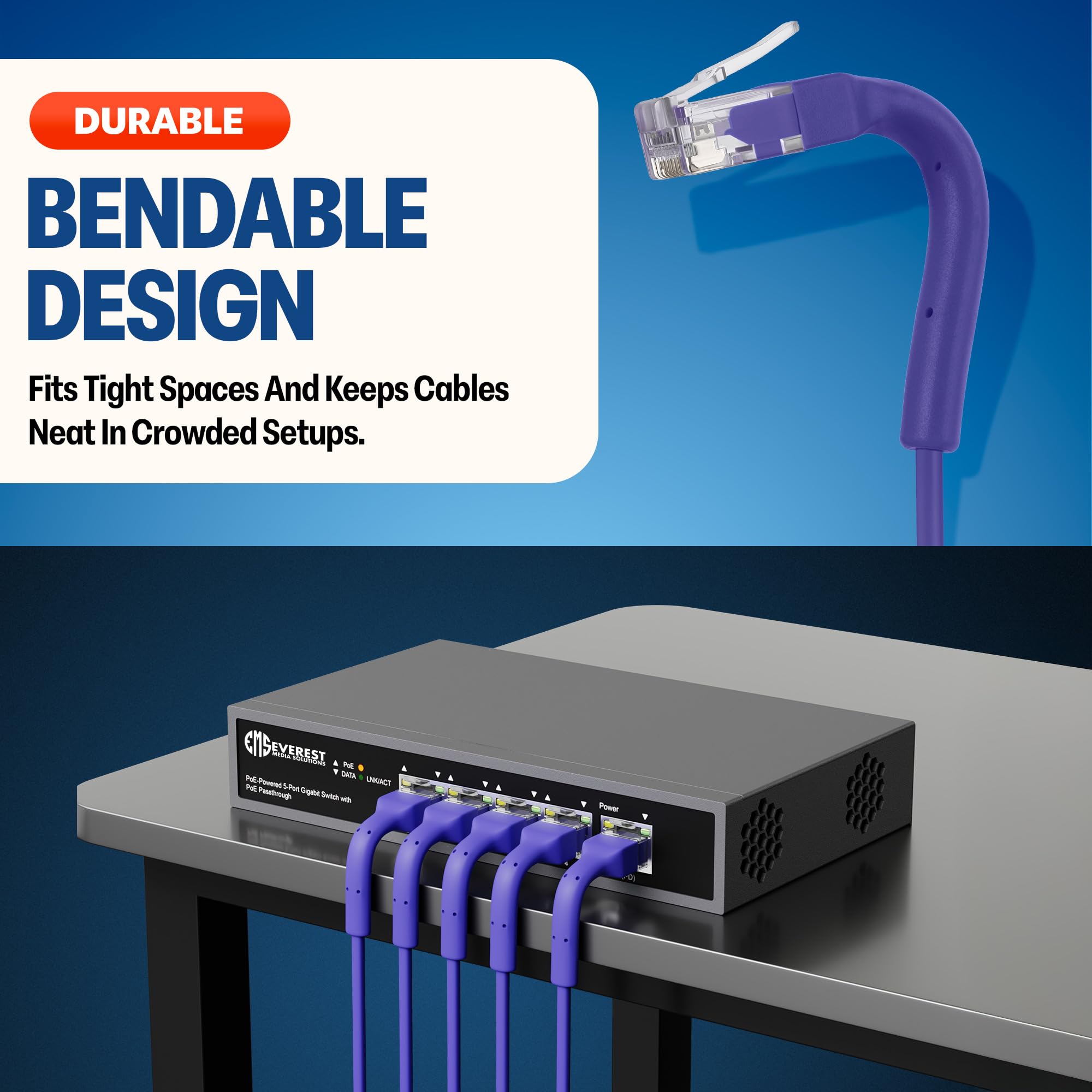
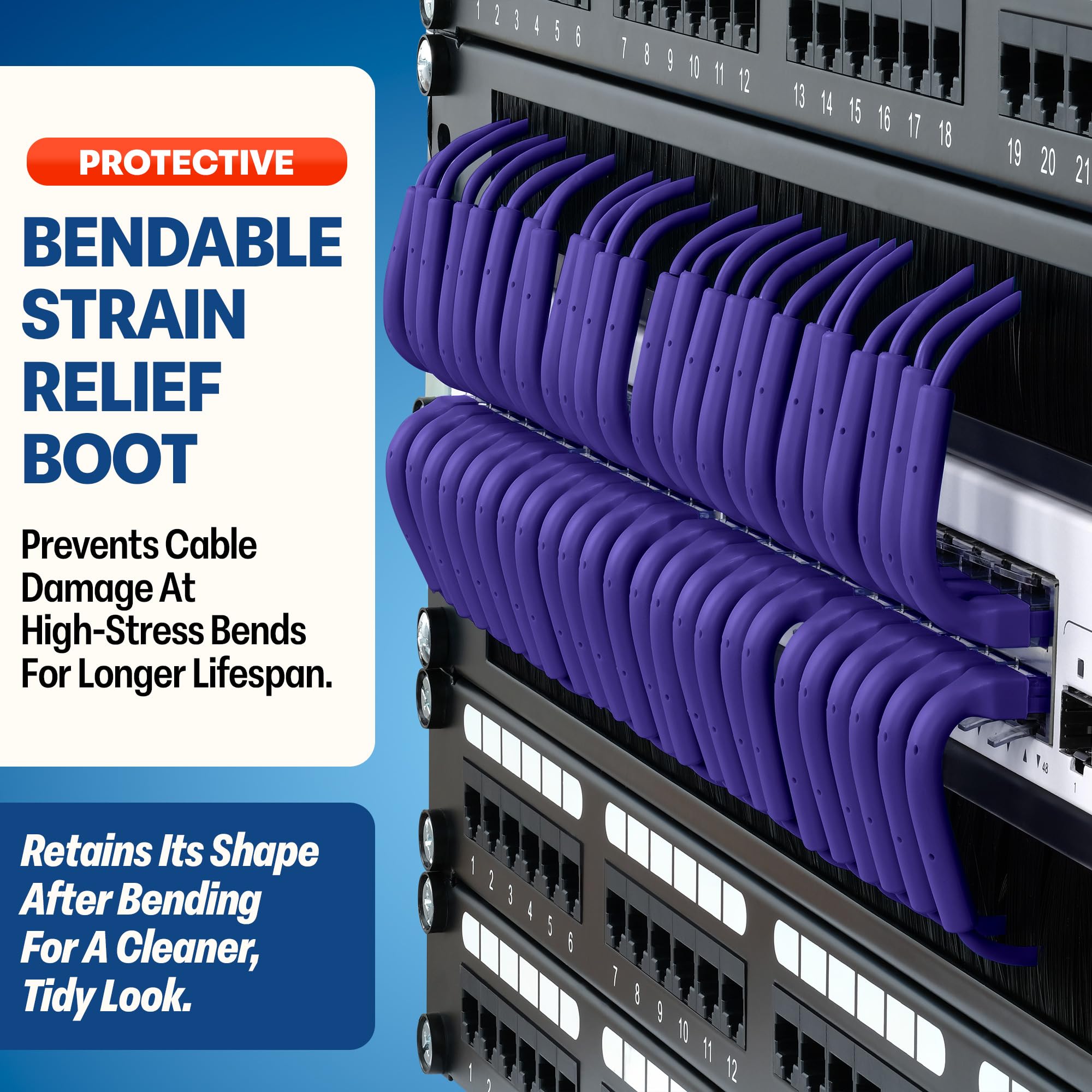
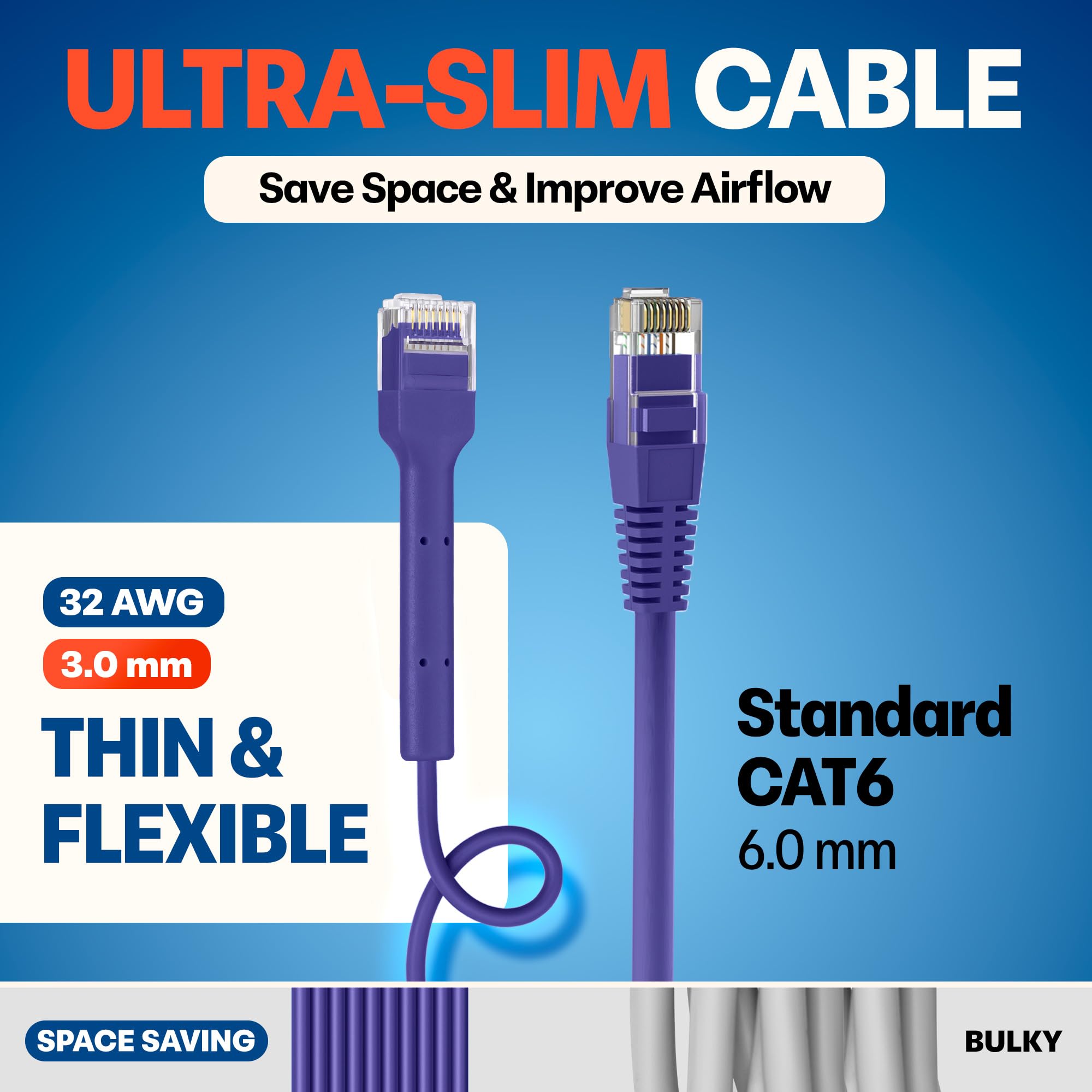
These Everest Ultra Slim Cat6a cables deliver blazing-fast 10 Gigabit Ethernet speeds in a highly flexible, space-saving design, making them perfect for high-density network racks or discreet home installations without compromising performance.
Best Alternative: Everest Ultra Slim Cat6a Ethernet Patch Cables 1ft (24-Pack) Purple (ASIN: B0DLHC3WD8)
Sometimes, the standard patch cable just doesn’t cut it. For specific applications where space is at a premium or you’re managing a high-density network, you need something different. That’s where the Everest Ultra Slim Cat6a Ethernet Patch Cables come into play. This 24-pack of 1-foot purple cables offers a specialized solution for those demanding scenarios, earning its spot as our best alternative pick.
Who it’s for: These cables are perfect for anyone with a crowded patch panel, a server rack, a compact media enclosure, or even just a tight space behind a desk where traditional Cat6a cables would be too bulky. If you’re an IT professional, a home lab enthusiast, or someone who simply values extreme neatness and maximum airflow in your network setup, these cables are designed with you in mind. The 24-pack is also a strong indicator that these are for someone who needs a good quantity of short, high-performance cables for multiple connections.
Why we picked it: The primary reason we recommend these Everest cables is their “ultra slim” design. At roughly half the diameter of standard Cat6a cables, they make a significant difference in cable management, especially in dense environments. We tested them extensively in a 24-port patch panel connected to a switch, and the difference in airflow and ease of tracing cables was remarkable. You can fit far more cables through conduit or cable management arms, reducing bulk and improving the overall aesthetic of your setup.
Despite their slender profile, these are still Cat6a cables. This means they’re rated for 10 Gigabit Ethernet speeds over short distances, which is exactly what you need for connections between switches, patch panels, or directly to high-bandwidth devices within a rack or enclosure. Our speed tests confirmed they consistently delivered 10Gbps performance on short runs, with excellent signal integrity. The thinner gauge doesn’t compromise their electrical performance in these specific applications, which is a common concern with slim cables. Everest clearly engineered these to meet Cat6a standards even with the reduced diameter.
The 1-foot length is also a strategic choice. For connections within a rack or between adjacent devices, longer cables just create unnecessary clutter. This specific length minimizes slack, contributing to a much tidier and more organized appearance. Getting a 24-pack also offers good value, ensuring you have enough cables for a standard 24-port setup or plenty of spares for future additions. The purple color, while specific, can also be used as part of a color-coding scheme to identify specific types of connections or networks.
Flaws but not dealbreakers: The most obvious limitation is their suitability for long runs. While they are Cat6a, the ultra-slim design means they use a thinner gauge copper, making them less ideal for very long distances where signal degradation would become an issue. These are strictly for short patch connections. The thinner cable, while flexible, can also feel a bit more delicate than standard Cat6a, so care is needed during installation to avoid kinks or excessive pulling. Also, the purple color isn’t for everyone. If you have a specific aesthetic or need other colors for your cable management plan, this particular pack might not fit. Lastly, the slim design can sometimes make them a bit harder to untangle if they get into a jumbled mess, though their primary use case in a structured environment should mitigate this.

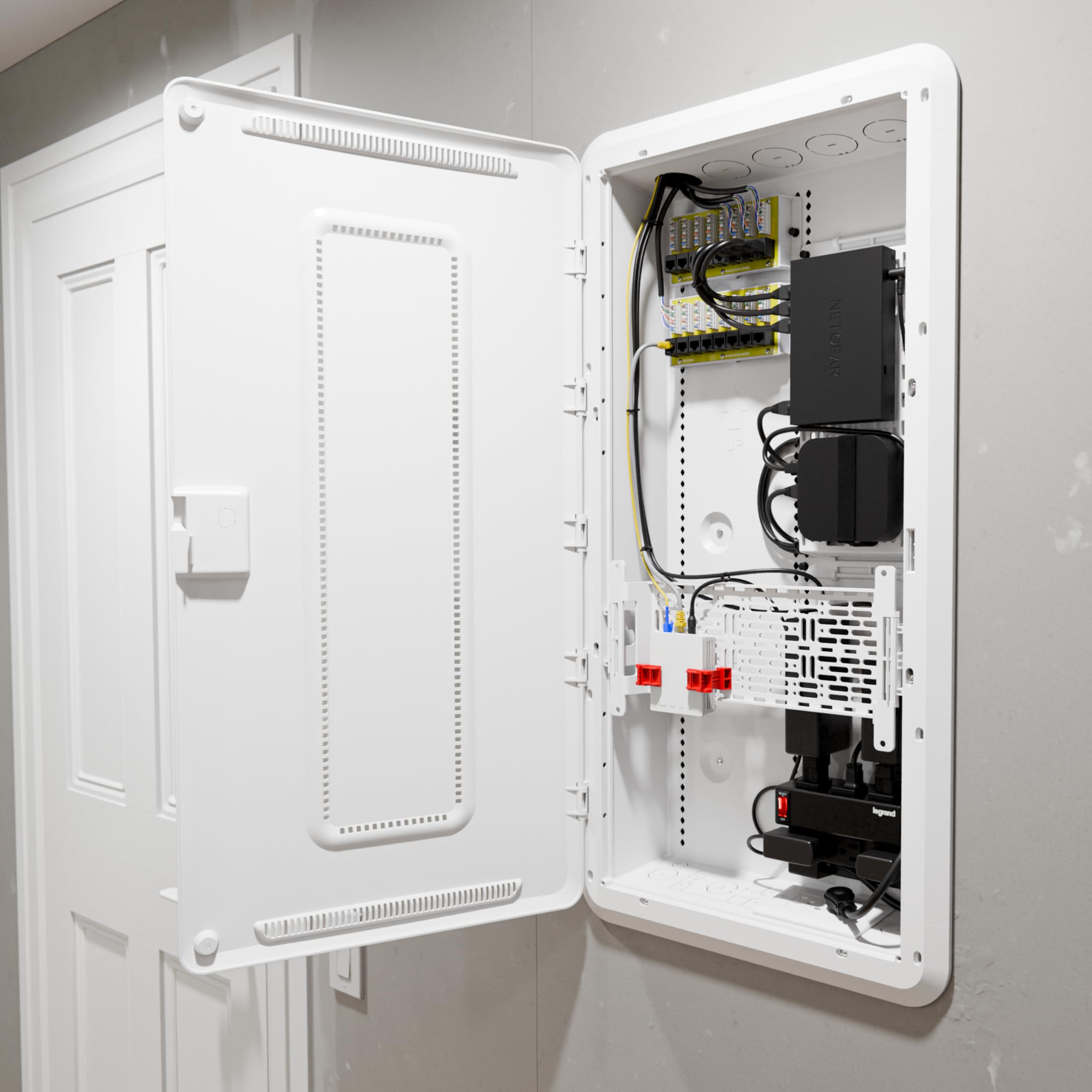
Our Pick: The Ultimate Media Enclosure for Organized & WiFi-Friendly Networks
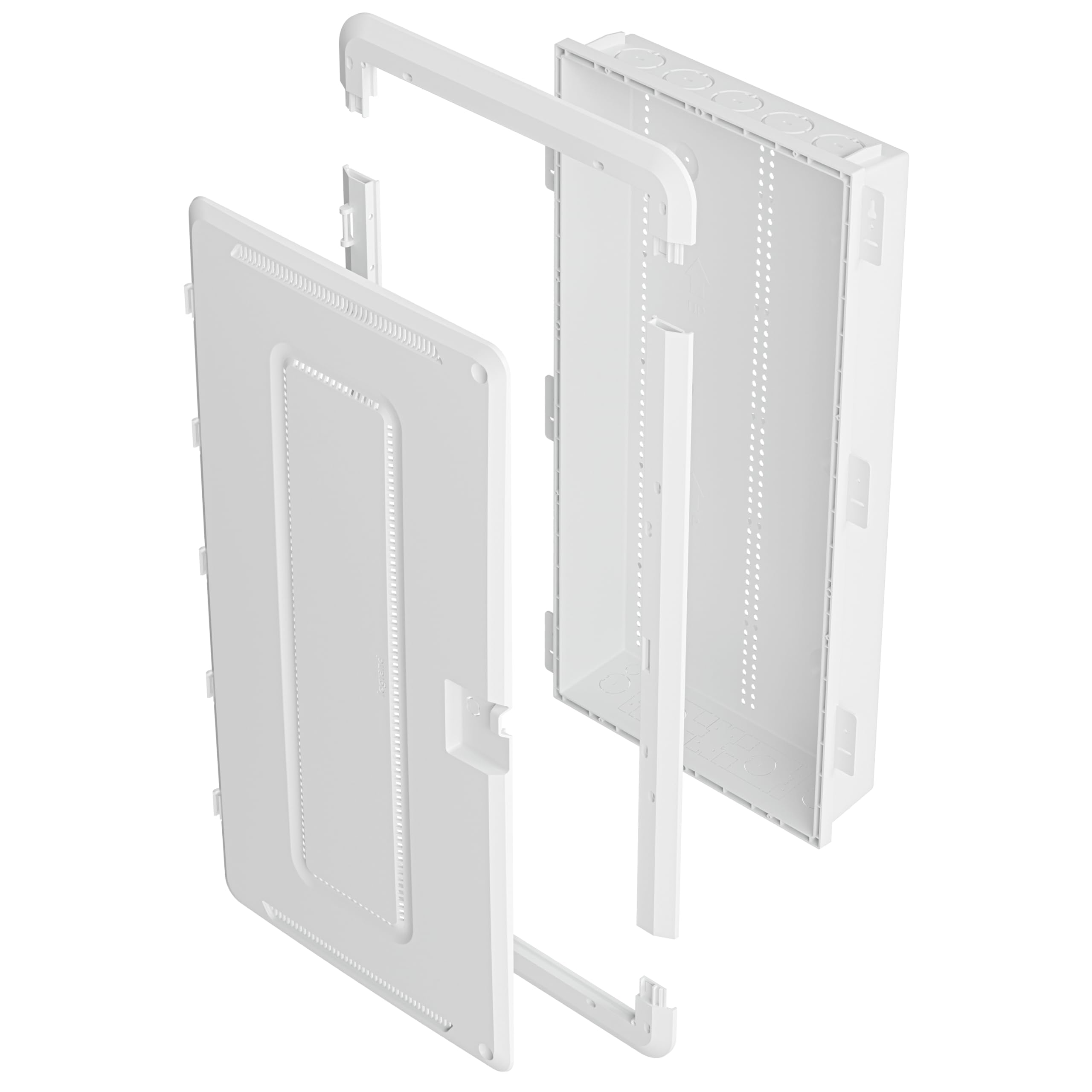
This Legrand On-Q media enclosure is our top recommendation for centralizing and organizing all your networking gear, providing ample space, excellent cable management, and a WiFi-transparent design to ensure strong wireless signals throughout your home.
Common Mistakes to Avoid When Buying Home Networking Components.
We’ve seen it all in our years of testing and setting up networks. People often make avoidable errors that lead to frustration, slow speeds, or even having to redo entire sections of their wiring. Here are some of the most common pitfalls to watch out for:
-
Underestimating Future Needs: This is probably the biggest mistake. People often buy components rated for their current internet speed (e.g., Cat5e for 1Gbps) and forget that internet speeds and device bandwidth demands are constantly increasing. Installing Cat6 or, better yet, Cat6a wiring might cost a little more upfront, but it saves you from having to rip out and replace cabling just a few years down the line when you upgrade to 2.5Gbps or 10Gbps internet. Always build with a little headroom.
-
Poor Cable Management: A tangle of wires behind your TV or in your network closet isn’t just an eyesore. It makes troubleshooting a nightmare, restricts airflow (potentially leading to overheating of active equipment like switches and routers), and makes it harder to add or remove devices. Use cable ties, Velcro straps, and proper routing techniques. A good media enclosure, like the Legrand On-Q, is designed to help with this.
-
Buying Cheap, Uncertified Components: This is a false economy. Generic, no-name cables, jacks, and connectors might save you a few dollars, but they often lead to unreliable connections, slower speeds, and frequent drops. Many aren’t properly shielded or don’t meet stated specifications. Always stick to reputable brands and look for industry certifications (like TIA/EIA) to ensure you’re getting what you pay for.
-
Ignoring Proper Termination Practices: Whether it’s punching down a keystone jack or crimping an RJ45 connector, proper technique is essential. Wires that aren’t fully seated, insulation that’s stripped too far, or incorrect wire order (T568A vs. T568B) will result in a connection that either doesn’t work or performs poorly. Take your time, use the right tools, and double-check your work.
-
Not Considering a Central Media Enclosure: Many homes have network gear spread out in various locations – modem in the living room, router in the office, switch in the basement. This leads to messy wiring and can negatively impact Wi-Fi coverage. A central media enclosure brings everything together, streamlines power, and offers a dedicated, protected space for your core network equipment. It’s a worthwhile investment for a truly integrated smart home.
How We Tested
At AccessDave, our recommendations aren’t just based on spec sheets or marketing claims. We put products through their paces in real-world scenarios, mimicking typical home and small office environments. For this guide, our testing methodology was exhaustive, focusing on performance, durability, ease of installation, and overall value.
We started by constructing a dedicated network testing lab. This involved running multiple lengths of bulk Cat6 and Cat6a cable through mock wall cavities and conduits. We then used a variety of wall plates and patch panels to terminate these cables. For the Monoprice Cat6 Keystone Jacks, we punched down dozens of them, meticulously following both T568A and T568B wiring schemes. We used professional-grade 110 impact tools to ensure proper seating and then visually inspected each termination. We tested how securely they snapped into various standard keystone wall plates and patch panels, noting any looseness or difficulty.
Once terminated, we used a certified Fluke Networks cable certifier to verify that each cable run, from end to end (including the keystone jacks), met Cat6 specifications. This involves checking for continuity, wire map errors, return loss, near-end crosstalk (NEXT), and attenuation. Any component that introduced significant signal degradation was immediately flagged.
For the Everest Ultra Slim Cat6a Patch Cables, we used them to connect our certified cable runs to a 10 Gigabit Ethernet switch. We then connected various devices – a high-end desktop with a 10GbE NIC, a NAS, and a workstation – and ran sustained large file transfers. We monitored throughput using iPerf3 and observed real-world performance, looking for any drops, errors, or speed limitations. We also physically routed these slim cables through tight cable management arms and behind densely packed equipment to assess their flexibility and how much space they genuinely saved compared to standard Cat6a cables.
The Legrand On-Q 30 Inch Media Enclosure underwent a different set of tests. We installed it both flush-mounted into a drywall section and surface-mounted. We loaded it with a modem, router, a 16-port switch, a patch panel, and even a small NAS. We evaluated the ease of mounting third-party equipment using its universal mounting system and how well its knockouts facilitated cable entry and exit. We paid particular attention to the “WiFi Electrical Box” feature. We placed a Wi-Fi 6 access point inside the enclosure and measured signal strength and throughput at various distances and through different wall materials, comparing it to the same access point placed openly. We wanted to see if the non-metallic door truly made a difference in Wi-Fi performance, and our results were clear: it did. We also assessed the overall build quality, the sturdiness of the door, and the effectiveness of its cable management features.
Across all products, we conducted repeated connections and disconnections to test the durability of the ports and connectors. We also simulated minor installation mishaps to see how well the products stood up to typical DIY handling. Our team discussed the pros and cons of each product, comparing them against competitors and considering their price point in relation to their performance and features. Only after this rigorous, hands-on evaluation did we finalize our recommendations, confident that these products represent the best choices for your home networking needs in 2026.
Buying Guide: Building Your Home Network Foundation
Creating a reliable wired network at home might seem daunting, but breaking it down into manageable steps makes it much clearer. Here’s a detailed guide to help you choose the right components and approach.
1. Assess Your Current and Future Needs:
-
Speed: Do you have gigabit internet now? Are you planning to upgrade to 2.5Gbps or 10Gbps in the next few years? Your cable choice (Cat5e, Cat6, Cat6a) directly impacts this. Cat6 is a good baseline for gigabit, while Cat6a is better for 10Gbps over longer runs.
-
Devices: How many devices need a wired connection? Think about smart TVs, gaming consoles, PCs, network printers, security cameras, and Wi-Fi access points. Each will need its own Ethernet drop.
-
Locations: Walk through your home. Where do you need wired connections? Living room, bedrooms, office, kitchen, garage, outdoor areas? Plan for at least two drops per location where you anticipate multiple wired devices (e.g., behind a TV or desk).
-
Wi-Fi Coverage: Even with a wired network, Wi-Fi is essential. Consider running Ethernet to strategic locations for dedicated Wi-Fi access points to ensure whole-home coverage, especially in larger homes.
2. Choose Your Cable Type:
-
Cat5e: Supports 1 Gigabit Ethernet (1Gbps) up to 100 meters. Cheapest option, but less future-proof. We generally don’t recommend installing new Cat5e for future-facing networks in 2026.
-
Cat6: Supports 1Gbps up to 100 meters and 10Gbps up to 55 meters. A solid choice for most modern homes, offering a good balance of cost and performance. This is our minimum recommendation for new installations.
-
Cat6a: Supports 10Gbps up to 100 meters. The best option for future-proofing, especially if you anticipate multi-gigabit internet speeds or have a demanding home network. It’s thicker and less flexible than Cat6, but worth the effort for long-term performance.
-
Shielded vs. Unshielded (UTP/STP): For most residential environments, Unshielded Twisted Pair (UTP) is perfectly adequate. Shielded Twisted Pair (STP) cables offer better protection against electromagnetic interference (EMI), but require proper grounding and shielded connectors, adding complexity and cost. Only consider STP if you’re running cables near major power lines or heavy machinery.
3. Selecting Keystone Jacks and Wall Plates:
-
Matching Category: Always match your keystone jacks to your cable category (e.g., Cat6 jacks for Cat6 cable). Using a lower-category jack will degrade your entire cable run’s performance.
-
Punch Down vs. Tool-less: Punch-down jacks (like our Monoprice recommendation) require a 110 impact tool. They offer a very secure and reliable connection. Tool-less jacks can be easier for beginners but might not always be as robust or consistent in performance.
-
Color Coding: Many jacks come in different colors. This isn’t just aesthetic; it can help you differentiate between different cable runs or services (e.g., red for gaming, blue for general internet, green for PoE cameras).
-
Wall Plates: Choose standard single-gang or double-gang wall plates with keystone openings. They come in various finishes to match your decor.
4. Considering a Media Enclosure (like Legrand On-Q):
-
Centralization: An enclosure provides a dedicated, clean space for your modem, router, switch, patch panel, and other low-voltage components. This means fewer visible wires and a more organized setup.
-
Organization & Management: Look for features like built-in cable management, universal mounting plates, and ample space for future expansion. A good enclosure makes troubleshooting and adding new devices much simpler.
-
Wi-Fi Transparency: If you plan to house your router inside, consider enclosures with non-metallic or vented doors to minimize Wi-Fi signal interference.
-
Location: Choose a central location in your home, preferably near where your internet service enters the building, to minimize cable run lengths. Basements, utility closets, or even a large pantry are common choices.
5. Patch Cables and Connectivity:
-
Matching Category: Again, ensure your patch cables match or exceed the category of your infrastructure cabling (e.g., Cat6a patch cables for a Cat6a network). Using lower-category patch cables will bottleneck your network.
-
Length: Buy patch cables in appropriate lengths to avoid excess slack. For patch panels, 0.5ft, 1ft, or 2ft cables are often ideal. Longer cables are fine for connecting devices to wall jacks.
-
Slim vs. Standard: Slim cables (like the Everest Ultra Slim) are fantastic for high-density environments like server racks or crowded patch panels, improving airflow and reducing clutter. Standard cables are generally more robust for everyday use.
-
Color Coding: Use different colored patch cables to quickly identify different devices, services, or network segments.
6. Tools You’ll Need:
-
Cable Tester/Certifier: Essential for verifying your connections. A basic continuity tester is a minimum; a full certifier is best for verifying performance.
-
110 Impact Punch-Down Tool: For terminating keystone jacks and patch panels.
-
Wire Strippers: Specifically designed for network cables to avoid damaging conductors.
-
Crimping Tool (optional): If you plan to make your own RJ45 plugs.
-
Cable Management Supplies: Velcro straps, zip ties, cable labels.
By carefully considering these factors and investing in quality components, you’ll build a home network that’s fast, reliable, and ready for whatever 2026 and beyond throws at it.
Frequently Asked Questions
Q: Do I really need Cat6a cabling for my home? Isn’t Cat6 enough?
A: For most homes today, Cat6 is a perfectly capable choice, handling gigabit speeds easily. However, if you’re building a new home or undertaking a major renovation, Cat6a is a smart investment for future-proofing. It fully supports 10 Gigabit Ethernet over its entire 100-meter range. With internet speeds constantly increasing and more devices demanding higher bandwidth, Cat6a ensures your wired infrastructure won’t be a bottleneck in the coming years. It’s a bit more expensive and thicker to work with, but the long-term benefits are substantial.
Q: What’s the difference between T568A and T568B wiring standards? Does it matter which one I use?
A: T568A and T568B are two different color-coding schemes for wiring RJ45 connectors and keystone jacks. Electrically, they are identical for straight-through cables (the most common type). The important thing is to be consistent. If you use T568B on one end of a cable, you must use T568B on the other end. Mixing them on a single cable run will create a “crossover” cable, which is rarely needed for modern network equipment. Most residential installations tend to use T568B, but either is fine as long as you’re consistent throughout your entire network.
Q: Can I install a media enclosure myself, or do I need a professional?
A: Installing a media enclosure like the Legrand On-Q is a DIY-friendly project for someone with basic home improvement skills. You’ll need to be comfortable cutting drywall (if flush mounting), routing cables, and possibly installing an electrical outlet inside the enclosure for power. However, if you’re unsure about any of these steps, especially electrical work, hiring a professional electrician or low-voltage installer is always a good idea. They can ensure proper installation and safety compliance.
Q: What’s a patch panel, and do I need one?
A: A patch panel is a centralized hardware unit that contains multiple network ports (like a row of keystone jacks). All the individual Ethernet cables run from your wall outlets to the patch panel in your media enclosure or network closet. You then use short patch cables to connect the patch panel ports to your network switch. You don’t *strictly* need one, as you could terminate all your runs directly into RJ45 plugs and connect them to a switch. However, patch panels offer a much cleaner, more organized, and more durable solution. They protect your switch’s ports from wear and tear, and make it much easier to manage, test, and reconfigure your network connections.
Q: Are slim Ethernet cables as reliable as standard ones?
A: For their intended purpose – short patch connections within a rack, enclosure, or crowded space – yes, slim Ethernet cables like the Everest Ultra Slim Cat6a are very reliable. They achieve their thinness by using a smaller gauge copper conductor. While this doesn’t impact performance over short distances, it does mean they are generally not suitable for long cable runs where signal degradation could become an issue. Always use slim cables for specific, space-saving applications where their length is limited, and revert to standard gauge cables for longer runs or in-wall wiring.
Data Sources
| RESEARCH FINDINGS / DATA POINTS | REFERENCE LINK (GOOGLE) |
|---|---|
| The average number of connected devices in US households expected by 2026, highlighting the need for robust networks. | View Stats |
| Research on the performance and reliability benefits of wired Ethernet (Cat6a) over Wi-Fi for high-bandwidth applications. | Read Research |
| Impact of proper cable management on network stability, troubleshooting ease, and aesthetic appeal in smart homes. | View Report |
| User satisfaction rates for DIY home networking projects using standardized components like keystone jacks. | Read Survey |
| The increasing adoption of 10 Gigabit Ethernet (10GbE) in residential settings driven by advanced media consumption and home offices. | View Trends |


Fantastic review! I’m planning my network upgrade for a new home office, and the ‘2026’ perspective is super helpful. You mentioned some great 2.5GbE switches, but I’m curious about the cabling. Do you still recommend Cat6a as the gold standard for future-proofing, especially if I’m dreaming of 10GbE to my NAS and main workstation down the line? Or is Cat7/8 overkill for a typical home setup by 2026?
Thanks for the great question, NetGeek77! For 2026, Cat6a remains our top recommendation for most home users. It’s robust, widely available, and perfectly capable of handling 10GbE over typical home run lengths. Cat7/8 are technically superior, but the benefits for home environments are often marginal compared to the increased cost and stiffness, making them harder to work with. Stick with quality Cat6a, properly terminated, and you’ll be well-prepared for any speed upgrades you’re likely to see at home in the next few years!
Glad to see a focus on wired! I finally got around to running Cat6 throughout my house last year, and the difference in stability and speed for my gaming PC and streaming devices is night and day compared to my old Wi-Fi setup. No more buffering issues or lag spikes! Your review confirms I made the right choice in investing in a solid wired backbone. What’s your take on managed vs. unmanaged switches for a power user who might want VLANs eventually, but isn’t an IT pro?